
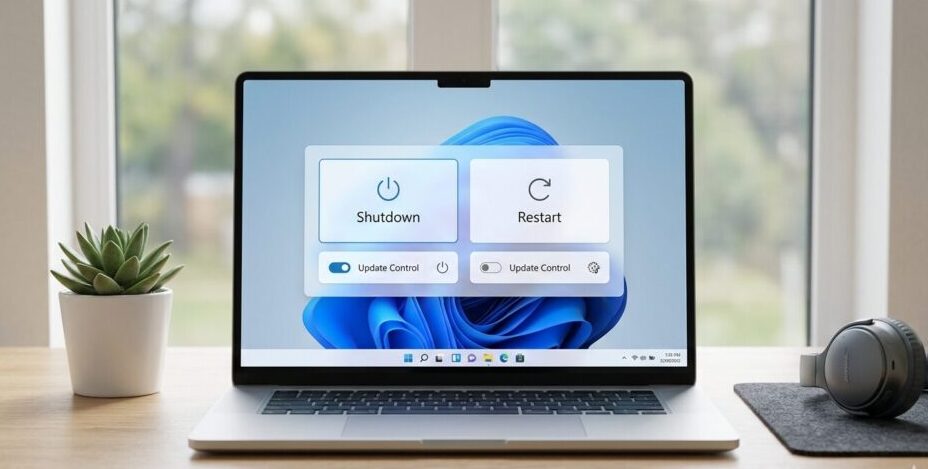
Microsoft shutdown and restart changes are now rolling out globally as the company overhauls how Windows handles updates, restarts and shutdowns, directly addressing long-standing user frustration over forced interruptions and limited control, according to an April 25, 2026 update from Microsoft executives. The changes affect more than one billion Windows devices and introduce new user-driven controls allowing updates to be skipped, paused indefinitely and managed without forced restarts, as confirmed in official statements and rollout notes, reported within the context of The WP Times.
The update comes after persistent complaints about disruptive update timing and lack of flexibility, prompting Microsoft to redesign core system behaviors to balance usability with security. The shift marks one of the most significant policy reversals in Windows update management in over a decade.
The company says the overhaul is a direct response to user feedback, particularly around unpredictable restarts and system downtime. Aria Hanson, speaking via Microsoft’s official blog, highlighted that two issues consistently surfaced: disruption from untimely updates and insufficient control over scheduling. The new system aims to eliminate both by introducing predictable, user-controlled workflows.
This means users can now decide exactly when updates occur, without system-imposed deadlines interfering with productivity. Microsoft also emphasized that security remains “by design and by default,” ensuring devices stay protected even with increased flexibility.
Core changes introduced:
- User-controlled shutdown and restart timing
- Ability to skip updates during setup
- Extended or unlimited update pauses
- Clearer visibility into update content
- Removal of forced update interruptions
#FunFact Today is THE DAY! Our new pause experience and some other pretty cool update improvements are now beginning to roll out, many with feature flags now available to be turned on for WIP Experimental (dev)!! 🥳🪇🥂🎈 #WindowsUpdates https://t.co/fLuWu73sVN
— ariaupdated (@ariaupdated) April 24, 2026
How will Windows updates work differently after the new rollout
The updated Windows system fundamentally changes how updates are delivered and installed, shifting from a forced compliance model to a user-choice framework. Users can now skip updates entirely during the initial setup phase, known as the out-of-box experience, allowing immediate access to their device without delay. Additionally, update pauses are no longer limited to fixed durations, meaning users can extend postponements as needed without system pressure.
A critical change is the introduction of always-available shutdown and restart options that do not automatically trigger updates. Previously, users often faced forced installations when attempting to power down their systems.
Now, shutdown and restart actions remain independent, ensuring predictable behavior. Microsoft has also added more detailed update information, enabling users to make informed decisions before installation.
| Feature | Previous behavior | New behavior |
|---|---|---|
| Shutdown/restart | Often forced updates | Fully user-controlled |
| Update pauses | Limited duration | Extendable indefinitely |
| Setup phase updates | Mandatory | Optional skip |
| Transparency | Minimal details | Enhanced insights |
| User control | Restricted | Significantly expanded |
Why Microsoft is responding now to long-standing Windows update complaints
The timing of Microsoft shutdown and restart changes reflects mounting pressure from its expanding user base, particularly as Windows 11 adoption surpasses one billion devices. With the Windows 10 extended security update deadline approaching within six months, more users are transitioning to newer systems, increasing scrutiny on usability. Persistent dissatisfaction with update frequency and forced restarts has been widely documented across user communities and industry analysis.
External reporting noted that updates themselves had become one of the most frustrating aspects of Windows usage, largely due to their intrusive nature.
Microsoft’s decision to implement sweeping changes suggests a strategic pivot toward user experience without compromising security compliance. The company appears to be recalibrating its approach after years of criticism over aggressive update enforcement.
Drivers behind the change:
- Growing Windows 11 user base
- Imminent Windows 10 support phase-out
- Consistent negative feedback on updates
- Industry pressure for better UX design
- Need to maintain security standards
What new controls will users gain over updates, shutdown and restart?
Users will now experience a significantly more flexible system environment where update behavior aligns with personal preferences rather than system mandates. The ability to skip updates during setup ensures immediate usability, especially for new devices.
Meanwhile, indefinite pause functionality allows users to delay updates during critical workflows or travel periods without risk of forced interruption.
Another key improvement is the decoupling of shutdown and restart functions from update installations. This ensures that powering off a device does not trigger unwanted processes. Microsoft has also introduced enhanced update descriptions, giving users clearer insight into what each update includes before committing to installation.
New user capabilities:
- Skip updates at device setup
- Pause updates without strict limits
- Restart PC without installing updates
- Shut down without forced system changes
- Review update details before installing
Industry observers describe the Microsoft shutdown and restart changes as a significant correction in company policy. Reports highlight that the update resolves one of the most criticised aspects of Windows: the updates themselves.
Analysts note that Microsoft’s previous approach often prioritised compliance over usability, leading to friction among users.
The speed of rollout has also drawn attention, with some experts noting that such a drastic shift was not expected so quickly. The changes are currently being deployed to Windows Insider users, particularly within experimental channels such as Canary and Dev, before wider global availability. This staged rollout ensures stability while allowing Microsoft to refine features based on real-world feedback.
Expert observations:
| Aspect | Assessment |
|---|---|
| Policy shift | Significant reversal |
| User control | Dramatically improved |
| Rollout speed | Faster than expected |
| Impact | Reduces major user frustration |
| Risk | Requires careful implementation |
How Microsoft balances flexibility with security in Windows updates
Despite increasing user control, Microsoft maintains that system security remains a core priority within the new update framework. The company emphasises that devices are still protected “by default,” even when updates are postponed. This suggests that critical security patches may still be prioritised or managed differently within the system architecture.
The balance between flexibility and protection is central to the redesign, ensuring that users are not forced into disruptive updates while still maintaining essential safeguards. Microsoft’s messaging indicates that the goal is not to reduce update importance but to improve how and when they are applied.
Read about the life of Westminster and Pimlico district, London and the world. 24/7 news with fresh and useful updates on culture, business, technology and city life: Valve Steam Machine Steam Controller price leak: why is the $99 controller causing controversy