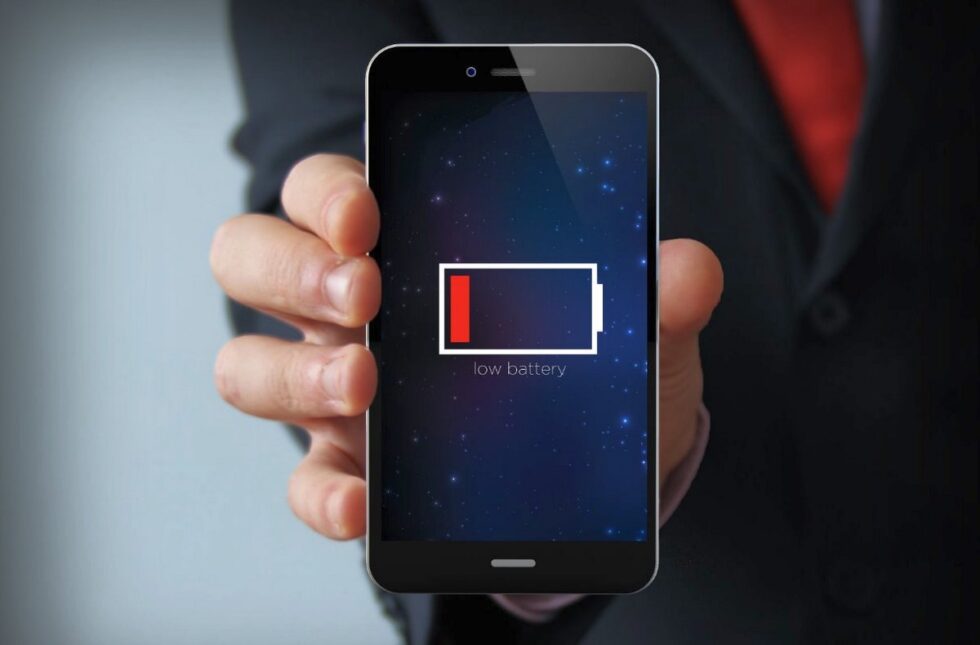
The modern smartphone is an indispensable tool, but its utility is entirely dependent on one fragile component: the lithium-ion battery. Over time, all batteries degrade, leading to frustratingly short charge cycles and reduced device performance. Maximizing your smartphone’s battery lifespan is not merely about preserving a single charge; it's about extending the overall functional life of the device and maintaining its resale value, reported by The WP Times.
While manufacturers continuously strive to improve battery technology, the most significant factor in longevity remains user habit. By adopting expert charging routines, optimizing your device settings, and understanding the science of battery degradation, you can drastically slow down this inevitable decline.
Fundamental Charging Habits for Longevity
The way you charge your phone is the single biggest factor influencing its long-term health. Most users unknowingly stress their batteries by regularly charging to 100% or allowing the device to die completely. These charging extremes place undue stress on the chemical components inside the battery cells, accelerating degradation. The ideal approach is to avoid these "peaks and troughs" by adhering to a simple but effective charging strategy. By making small, disciplined changes to your routine, you can ensure that your battery's capacity remains high for many years, saving you money on costly replacements.
The 40-80 Rule and Heat Management
The universally accepted 'sweet spot' for a lithium-ion battery is to maintain its charge level between 40% and 80%. Remaining in this range minimizes internal chemical stress. Even more critical than the charge level, however, is heat management. High temperatures—caused by fast charging, intensive tasks, or being left in direct sunlight—are the primary enemy of battery health. Always aim to keep your phone cool while charging to protect the fragile internal chemistry. Following these practices guarantees a less stressful life for your device.
- Avoid consistently charging your device to the maximum 100%.
- Never let the battery power drain to 0%, as this causes significant internal damage.
- Always remove your protective phone case when using a fast charger to allow heat to dissipate effectively.
- Refrain from using the phone for intensive tasks, like gaming or 4K video editing, while it is plugged in.
- Ensure you use the original or certified charger and cable to guarantee the correct voltage and current flow.
Adopting the correct charging protocol delivers immediate and long-term benefits. By avoiding the 100% charge point, you reduce the internal voltage and subsequent thermal stress on the battery cells. This decreased thermal load directly slows down the rate of chemical degradation. Even small changes, such as unplugging your device at 90% instead of leaving it plugged in overnight, accumulate significant health benefits over a two-year period, effectively postponing the need for a battery replacement.

Optimizing Software and Settings
While charging habits address the long-term chemical health of the battery, optimizing software settings can maximize the battery life of a single charge. Many features, while convenient, continuously drain power in the background without the user’s immediate knowledge. To stretch your daily use, you need to identify and curb these silent power hogs, focusing on settings that minimize unnecessary processing and data usage. By making simple adjustments to notification settings and background activity, you can significantly reduce the CPU load and prolong the time between charges.
Identifying the Biggest Power Hogs
The main culprits for rapid battery depletion are background app refresh, location services, and the use of maximum screen brightness. Apps running in the background constantly check for updates and consume precious CPU cycles, even when you aren't using them. Similarly, setting your screen to maximum brightness forces the phone to use excessive energy to power the display. By actively managing these settings, you gain more control over your device's power consumption without severely compromising its functionality.
| High-Drain Setting | Low-Power Alternative | Battery Saving Impact |
| High Screen Brightness | Auto-Brightness, Dark Mode | Major (Screen is the top power consumer) |
| Background App Refresh | Disable for non-essential apps | Significant (Stops constant CPU usage) |
| Always-On Location Services | Set to 'Only While Using' | Moderate (Reduces GPS/Cellular pings) |
| Push Notifications for all apps | Switch to manual or scheduled fetching | Moderate (Minimizes screen-waking events) |
Simple setting changes, such as limiting location services to "only while using" for apps like social media, can drastically extend the lifespan of your current charge. Switching from 5G to 4G/LTE in areas where the 5G signal is weak is another highly effective tactic, as searching for a poor signal consumes massive amounts of power. These adjustments are often simple toggles that do not significantly impact the core user experience but save valuable power throughout the day.
The UK Market: Battery Health and Consumer Rights
For consumers in the United Kingdom, prioritizing battery health extends beyond personal cost savings; it aligns with robust consumer protection laws and a growing national emphasis on sustainability. The UK’s Consumer Rights Act 2015 provides protection for consumers whose products, including smartphone batteries, fail to last a reasonable length of time. This legal framework places a responsibility on manufacturers, making battery longevity a critical issue for brands operating in the British market. Understanding these rights empowers UK consumers to demand better quality and longer-lasting devices.
Warranties and the Right to Repair in Britain
The Right to Repair movement, gaining momentum across the UK and the European Union, specifically pushes for legislation that makes batteries and other components easily replaceable, either by the user or by independent repair shops. This is a direct response to practices that have often made battery replacement costly and complex, contributing to premature device disposal. In the UK, a failing battery after only a year of normal use can often be grounds for a free repair or replacement under the statutory warranty, highlighting the high standards expected for product longevity. Furthermore, the push for eco-friendlier tech in Britain means a longer-lasting battery is viewed as a crucial part of a device's environmental profile.
Advanced Performance Management
Even with the best charging habits and optimized settings, a battery will eventually degrade. Understanding the signs of degradation and knowing when to act is crucial for maintaining performance. Both iOS and Android operating systems now provide built-in tools to monitor your battery's health, typically displayed as a percentage of its original capacity. When this figure drops significantly—usually below 80%—the battery is officially past its peak, and performance throttling may occur. Ignoring this warning can lead to unexpected shutdowns and sluggish app performance.
Dealing with Battery Degradation and Replacement
Once your battery health dips below the 80% threshold, it’s time to consider a professional replacement. While budget options for third-party batteries exist, it is highly recommended to use certified replacement services from the manufacturer or authorized repair centers. Non-certified batteries may not offer the same safety features, leading to overheating or even fire hazards. A certified replacement restores the device to its full processing speed and original battery life, making it feel new again.
Software Strategies for 2025
Modern smartphones are increasingly leveraging Artificial Intelligence (AI) to manage battery health behind the scenes, effectively compensating for human error. These sophisticated software features are now integral to prolonging the lifespan of new devices. Understanding and utilizing these built-in systems ensures that your device is actively working to preserve its own longevity. These tools move beyond simple low-power modes and engage in proactive, predictive battery management.
Leveraging Adaptive Charging and AI
The most significant software advancement is Adaptive Charging (or Optimized Battery Charging). This feature learns your daily routine—specifically your morning alarm time—and strategically slows down the charging process when the battery reaches 80%. Instead of holding the battery at a stressful 100% all night, the AI ensures the battery only hits 100% just before you wake up. By minimizing the time spent at maximum voltage, this feature significantly reduces chemical stress and degradation, making it one of the most vital settings to keep enabled.
Extending your smartphone battery life is a dual effort, requiring smart charging habits and proactive software management. Adhering to the 40-80 rule and rigorously managing thermal stress are the most effective long-term practices. Coupled with optimizing software settings like background refresh and leveraging modern Adaptive Charging features, you can significantly slow down battery degradation. Furthermore, understanding consumer rights, particularly in the UK market, empowers users to expect and demand longevity from their devices. By taking these steps, you ensure optimal performance and minimize the need for costly, disruptive replacements.
Read about the life of Westminster and Pimlico district, London and the world. 24/7 news with fresh and useful updates on culture, business, technology and city life: Data Security: How to Protect Your PC and Smartphone from Cyber Threats.