A major security update for iPhones is prompting fresh warnings to millions of users worldwide. Cybersecurity researchers say iOS 26.2 contains critical fixes for two WebKit zero-day vulnerabilities that attackers are already exploiting in real-world campaigns. The flaws could allow hackers to run malicious code on a device simply by loading compromised web content. Experts warn that users who remain on older versions of iOS will not receive the same protections. Alongside upgrading, specialists advise restarting iPhones regularly to disrupt potential spyware. The update applies to newer iPhone models and is being described as a high-priority security release. This is reported by The WP Times, citing cybersecurity analysis from Malwarebytes and coverage by Forbes.
What is iOS 26.2 and why is it important
iOS 26.2 is the latest security-focused update for Apple’s iPhone operating system. Unlike routine software releases, this version is primarily designed to address serious vulnerabilities that have already been detected in active use.
According to cybersecurity firm Malwarebytes, Apple issued patches on 12 December 2025 for two previously unknown security flaws in WebKit, the engine that powers the Safari browser and a wide range of iOS applications.
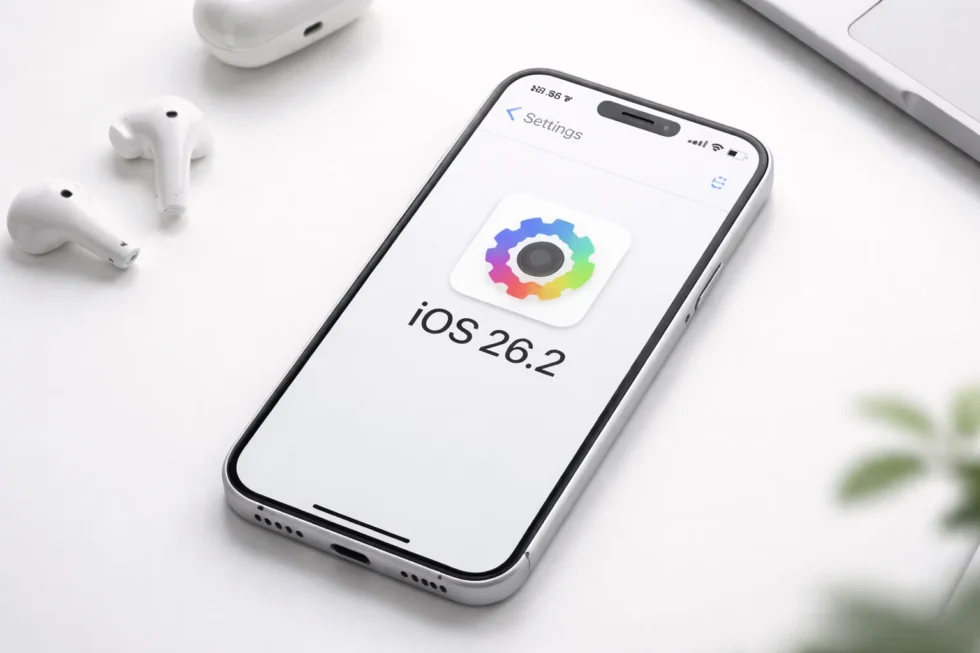
WebKit is used far beyond Safari itself, meaning the risk is not limited to visiting suspicious websites. Any app that displays web-based content could potentially be affected. Researchers say the vulnerabilities allow an attacker to execute arbitrary code on an iPhone after a user interacts with malicious web material.
What the vulnerabilities can do – in practical terms
Cybersecurity specialists say the risks linked to the WebKit flaws are both serious and unusually easy to trigger. In real-world terms, an attacker could potentially compromise an iPhone without the user realising anything is wrong.
These vulnerabilities can allow:
- silent device takeover via a single web page – simply visiting a malicious site could be enough to infect a phone
- remote code execution – hackers may run programs on the device without permission
- data theft from trusted apps – passwords, messages and browsing history could be accessed
- attacks through emails and messages – opening an HTML-formatted email might be sufficient to trigger an exploit
- compromise through everyday apps – not just Safari, but any app that displays web content
Because WebKit is built into large parts of iOS, the problem is not limited to “risky behaviour”. Even cautious users who avoid suspicious websites could still be affected through ordinary browsing or legitimate services that unknowingly load harmful content.
Security researchers warn that such exploits are often used first in highly targeted campaigns – for example against journalists or officials – before spreading more widely. Apple has acknowledged that these vulnerabilities are already being exploited in the wild, according to multiple independent security reports.
Why older iOS versions are at greater risk
A key reason security experts are urging users to upgrade is simple: the most important protections are only available on iOS 26 and later. Apple has chosen to deliver the full set of fixes and new defensive features exclusively to newer versions of the operating system. That means anyone who continues using older software – such as iOS 18 – will miss out on critical safeguards.
Users who remain on earlier versions will not receive:
- the latest WebKit security patches that block active exploits
- new memory integrity protections designed to stop spyware
- updated system defences against emerging attack techniques
- ongoing improvements to Apple’s built-in security architecture
Over time, this gap becomes more dangerous. As attackers discover new ways to exploit iPhones, older systems gradually lose protection while newer versions continue to harden. In practical terms, running an outdated version of iOS means relying on defences that are no longer being strengthened. Cybersecurity specialists warn that even careful users cannot fully protect themselves if their device is missing the latest security updates.
Restarting your iPhone: a simple but powerful step
Beyond installing iOS 26.2, experts are stressing another key action: restarting the device. Many forms of modern spyware operate only in a phone’s active memory. A full restart can:
- clear memory-resident malware
- interrupt ongoing surveillance
- force fresh security checks
The US National Security Agency has previously recommended that smartphone users reboot their devices at least once per week as a basic precaution. Because installing iOS 26.2 requires a restart, the process offers two layers of protection at once.
Adoption numbers remain low
Despite the warnings, early estimates suggest uptake of iOS 26 has been slower than expected. According to analyst figures cited by Malwarebytes:
| Software version | Estimated share |
|---|---|
| iOS 26.2 | 4.6% |
| Any iOS 26 | 16% |
| Older versions | 84% |
While these numbers are not official Apple statistics, they indicate that a large proportion of users may still be running potentially vulnerable software.
How to check if your iPhone is protected from WebKit exploits
Before worrying about technical details, every iPhone user should first confirm whether their device is running the latest secure software. Checking takes less than a minute and can immediately show if your phone is at risk.
Follow these steps now:
- Open Settings
- Tap General
- Select Software Update
- Look at the version number on screen
- If iOS 26.2 appears, tap Download and Install
- Allow the device to restart when prompted
If your phone already shows “iOS 26.2 is up to date”, you are currently protected against the known WebKit vulnerabilities.
Practical update tips:
- Connect to Wi-Fi before starting
- Plug the phone into a charger
- Leave at least 10–15 minutes for installation
- Do not interrupt the restart process
Turning on Automatic Updates is strongly recommended so future security patches are installed without delay.
What to do if your iPhone cannot install iOS 26.2
Not all devices are capable of running the newest software. Older iPhones that are no longer supported cannot receive the latest security protections, which puts them at increasing risk over time. If your phone cannot upgrade, experts recommend the following:
- restart the device at least once a week
- avoid clicking unfamiliar links
- be careful with emails containing web content
- consider using a newer supported device
Without the latest WebKit patches and memory protections, unsupported models gradually become more vulnerable as new exploits emerge.
Essential security habits while waiting to update
Even with iOS 26.2 installed, good security behaviour remains important. Cybersecurity specialists stress that technology alone cannot prevent every attack. Until the update is completed, users should:
- avoid opening unsolicited links or attachments
- treat unexpected emails with caution
- ignore messages claiming to be “Apple security alerts”
- be careful when viewing HTML-formatted emails
- verify unusual requests directly with the sender
For high-risk individuals – such as journalists, activists or executives – Apple’s Lockdown Mode can provide an additional layer of protection. Experts warn that attacks which start with small, targeted groups often expand to ordinary users over time.
Why restarting your iPhone matters as much as updating
Many users do not realise that a simple restart can be an important security tool. Modern spyware often lives only in a phone’s active memory and disappears when the device is rebooted.
Restarting an iPhone can:
- remove memory-resident malware
- interrupt active surveillance
- reset system processes
- reduce the impact of certain exploits
The US National Security Agency recommends restarting smartphones weekly. Because installing iOS 26.2 requires a restart, upgrading delivers two security benefits at once.
What else changes in iOS 26.2 beyond security
Although the update is focused on protection, Apple has also refined the visual experience. The “Liquid Glass” interface introduced in iOS 26 has received several usability improvements. Key enhancements include:
- clearer Lock Screen clock styles
- new Glass and Solid display options
- ability to reduce transparency
- higher contrast modes
- improved icon readability
These changes respond to complaints that earlier versions of iOS 26 were difficult to read for some users. The practical advice from cybersecurity professionals is straightforward: update immediately and restart your device. Active exploits targeting WebKit vulnerabilities have already been detected, and older versions of iOS no longer receive the same protections. Delaying the upgrade leaves devices unnecessarily exposed.
Read about the life of Westminster and Pimlico district, London and the world. 24/7 news with fresh and useful updates on culture, business, technology and city life: iOS 26.2: New Lock Screen controls and improvements to the Sleep Score