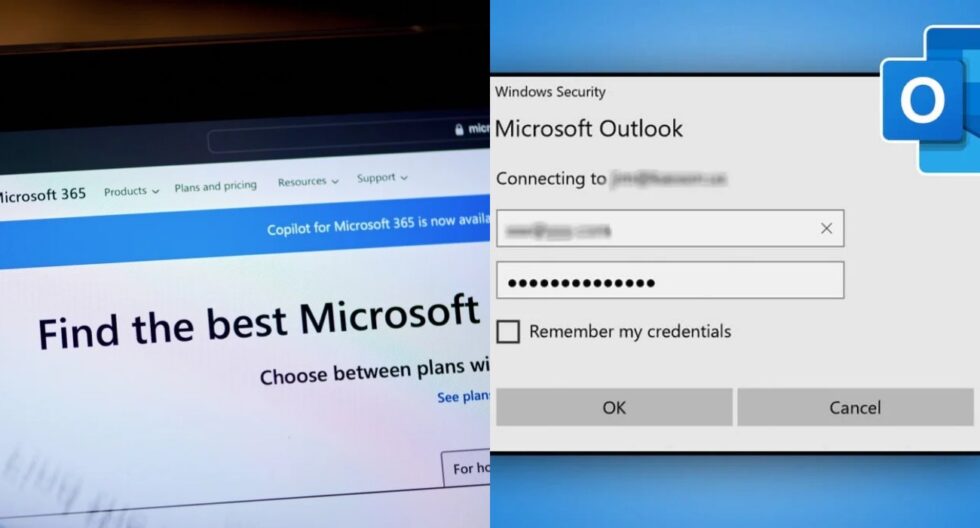
Monday morning, April 27, 2026, has begun with a significant technical hurdle for millions of corporate users as Microsoft Outlook experiences a widespread service disruption. Professionals across the globe are reporting a frustrating and persistent loop where the application repeatedly prompts for credentials, only to be met with "too many requests" error messages or spontaneous sign-outs.
This issue is particularly critical as it strikes at the beginning of the workweek, halting essential business communications and disrupting the workflows of Enterprise and Business customers who rely on the Microsoft 365 ecosystem. Resolving these authentication failures is not just a matter of convenience; it is a necessity for maintaining operational continuity in an increasingly digital-first economy. Understanding the mechanics of this outage allows users and IT departments to implement effective workarounds while Microsoft scales its mitigation efforts. As reported by The WP Times , via mashable.
Current Service Interruption: What is Happening with Microsoft 365
The disruption was first detected in the early hours of Monday, with telemetry data indicating a massive surge in authentication failures starting around 5:00 a.m. ET. According to official service status updates, the primary issue is localized within the Microsoft Entra ID (formerly Azure AD) infrastructure, which manages identity and access for the entire Microsoft 365 suite.
Users attempting to access their mailboxes via the Outlook desktop client, web browser (OWA), or mobile applications are finding themselves stuck in a "credential loop." Microsoft has confirmed that they are analyzing service telemetry to identify the specific bottleneck causing the "Too many requests" (Error 429) notifications. This error code typically indicates that the server is being hit with more requests than it is configured to handle, leading to a temporary lockout for many users.
Current Incident Statistics and Real-Time Status:
- Incident Start Time: Approximately 5:00 a.m. ET, April 27, 2026.
- Primary Error Codes: HTTP 429 (Too Many Requests), Error 503 (Service Unavailable).
- Affected Tiers: Microsoft 365 Business, Enterprise E3/E5, and Education tenants.
- Platform Reach: Outlook for Windows/Mac, Outlook Web Access (OWA), Microsoft Teams, and Mobile.
- User Reports: Over 25,000 reports on DownDetector within the first few hours, primarily in Europe and North America.
- Microsoft Response: Engineering teams are rerouting traffic to alternative infrastructure to alleviate load.
Why is Outlook Asking for Your Password Repeatedly Today
The repetitive password prompt is a symptom of a failure in the "token refresh" process. Under normal circumstances, once you log in to Outlook, the system issues a "Refresh Token" that keeps you signed in for days or weeks without needing to re-enter your password. Today, a glitch in Microsoft’s authentication servers is causing these tokens to be rejected or invalidated prematurely.
When the local Outlook client attempts to use an existing token to sync your mail, the server denies it, forcing the application to ask for manual credentials. However, because the authentication service is currently overwhelmed or experiencing a logic error, the manual login attempt also fails, creating the endless loop of login boxes that users are currently seeing.
Technical Breakdown of the Authentication Failure:
| Factor | Description | User Impact |
| Token Invalidation | Security tokens are being rejected by the Azure/Entra ID server. | Constant password pop-ups. |
| Rate Limiting (429) | The server is throttling requests to prevent a total system crash. | "Too many requests" error message. |
| Session Desync | Local device thinks it's logged in, but the server has no record of the session. | Intermittent "Unexpected Sign-out." |
| MFA Latency | Multi-Factor Authentication requests are timing out before reaching devices. | Stuck on "Approve sign-in" screen. |
| Global Load Balancing | Traffic rerouting is causing delays in credential verification. | Very slow login times or "hangs." |
Troubleshooting "Too Many Requests" and Persistent Login Failures
While the root cause of today's Outlook issue remains on Microsoft's end, there are several "client-side" actions that can help users bypass the error or at least minimize the disruption. The most important advice from IT experts today is to avoid "aggressive re-logging." Every time you click the "Sign In" button during a 429 error, you are adding to the server's load and potentially extending your own IP-based lockout timer.
Instead, users should attempt to clear the local credential cache or use alternative access methods like web-based mail, which often uses a different authentication path than the desktop application. If your business relies on a VPN, try disconnecting it momentarily, as some corporate VPN IP ranges may be heavily throttled by Microsoft's security protocols during the outage.
Step-by-Step Troubleshooting for Professionals:
- The "15-Minute Rule": If you see "Too many requests," close Outlook and wait 15 minutes before trying again to allow the server-side cooldown to expire.
- Clear Windows Credentials: Open "Credential Manager" in Windows, find all entries starting with "MicrosoftOffice16" or "MS.Outlook," and remove them.
- Use Incognito/InPrivate: Open your web browser in private mode and go to
outlook.office.com. This bypasses corrupted cookies and cache. - Office Safe Mode: Press
Win + R, typeoutlook.exe /safe, and hit Enter. This disables add-ins that might be hammering the server. - Update the Client: Ensure you are running the latest version of Microsoft 365, as Microsoft sometimes pushes "hotfixes" through background updates.
- Network Switch: If possible, switch from corporate Wi-Fi to a mobile hotspot to see if a fresh IP address bypasses the rate-limiting block.
The Impact on Business Operations and Digital Productivity
A Monday morning outage for Microsoft 365 is not merely an IT headache; it represents a massive loss in global economic productivity. For Enterprise customers, the failure of Outlook often extends to other integrated services like Microsoft Teams and SharePoint, as they all share the same identity management system.
When employees cannot authenticate, they lose access to shared calendars, internal documents, and collaborative chat functions. This leads to a "shadow IT" problem, where employees may begin using unauthorized personal communication tools (like WhatsApp or personal Gmail) to stay in touch with clients. While this keeps the business moving, it creates significant security and compliance risks, as corporate data is moved outside of the protected environment.
Business Risks During the April 27 Outage:
- Delayed Decision Making: Critical emails from stakeholders are stuck in the "cloud" and cannot be viewed.
- Customer Service Degradation: Support teams cannot access ticketing systems tied to Outlook mailboxes.
- Security Vulnerabilities: Increased risk of phishing, as attackers may send fake "fix your login" emails during the chaos.
- Financial Loss: For sales organizations, a few hours of downtime can mean missed leads and delayed contract signings.
- Reputational Damage: Clients may perceive a lack of responsiveness as a lack of professionalism if not notified of the outage.
Strategic Advice for IT Administrators and Help Desks
IT administrators are currently on the front lines of this crisis, facing a surge of support tickets that can quickly overwhelm a company’s help desk. The most effective strategy for admins right now is proactive communication. Instead of troubleshooting each user individually, a company-wide broadcast should be sent via an alternative channel (such as a company intranet or SMS alert) notifying everyone that this is a known Microsoft global issue.
Admins should also monitor the Microsoft 365 Admin Center for "Incident MO998877" (or the current equivalent) to get the latest telemetry updates directly from Microsoft’s engineering team. It is also wise to check if "Conditional Access" policies in Entra ID can be temporarily adjusted to reduce the frequency of re-authentication prompts for active sessions.
Best Practices for Corporate IT Departments:
- Centralized Status Page: Direct employees to an internal status page to reduce the volume of individual emails and calls.
- Monitor Entra ID Logs: Review the "Sign-in logs" in the Azure portal to see if the failures are specific to a certain office location or device type.
- Block Harmful "Fixes": Ensure users don't start uninstalling and reinstalling Office, which wastes bandwidth and rarely fixes server-side outages.
- SLA Tracking: Document the start and end time of the outage for potential service credit claims under your Microsoft Enterprise Agreement.
- Alternative Communication: Encourage the use of Microsoft Teams (if still functional for logged-in users) or secondary VOIP systems for urgent calls.
Microsoft’s Response and Post-Incident Expectations
Microsoft has historically been transparent about its recovery efforts during major outages. As of 9:35 a.m. ET, the company has stated that it is "analyzing service telemetry" and "applying mitigation actions." These actions often involve "failing over" traffic to secondary data centers that are not experiencing the same level of congestion.
Once the service is restored, users can expect a "Post-Incident Report" (PIR) within a few days. This report will detail the "Root Cause Analysis" (RCA), explaining why the redundancy systems failed and what steps are being taken to prevent a recurrence. In the 2026 tech landscape, where cloud reliance is at an all-time high, these incidents serve as a reminder for businesses to maintain robust "disaster recovery" plans that include offline access to critical data.
What to Expect Following Service Restoration:
- Rolling Recovery: Access will likely return in waves; some regions or tenants will see stability before others.
- Backlog Delays: Once you log in, expect a delay in receiving emails as the server processes the "queue" from the past several hours.
- Ghost Notifications: You may receive notifications for emails you have already read or deleted as the sync stabilizes.
- Official PIR: A detailed report will be available in the Microsoft 365 Admin Center within 48 to 72 hours.
- Device Restart: Microsoft typically recommends a full restart of all Office applications once the "all-clear" is given.
Frequently Asked Questions
Is my Microsoft account hacked?
No. If you are experiencing a repeated password prompt today, April 27, 2026, it is a confirmed service outage. This is a technical failure in Microsoft's identity servers, not a sign that your individual account has been compromised.
Why can I access Outlook on my phone but not my laptop?
Mobile devices often use "Modern Authentication" with different token lifetimes and server endpoints than the desktop client. During an outage, one specific server cluster may be affected while another remains functional.
I entered my password correctly, but it says "Wrong Password." Why?
During an outage, the server that verifies your password may be unresponsive. When it doesn't answer, the local app sometimes defaults to a "Wrong Password" error message even though the credentials are correct.
Should I change my password right now?
No. Changing your password during an authentication outage can actually make the situation worse, as the new password may take longer to propagate through a struggling system, leaving you even more "locked out."
How can I check if the problem is fixed?
Follow the official @Microsoft365Status account on X (formerly Twitter) or visit the Microsoft Service Status page for the most reliable updates.
Is this related to the "Too Many Requests" error?
Yes. Error 429 (Too Many Requests) is the technical code for the throttling that is causing the password prompt loops. It means the server is too busy to handle your login request at this moment.
Read about the life of Westminster and Pimlico district, London and the world. 24/7 news with fresh and useful updates on culture, business, technology and city life: Microsoft shutdown and restart changes: How will Windows updates now give users full control over PCs