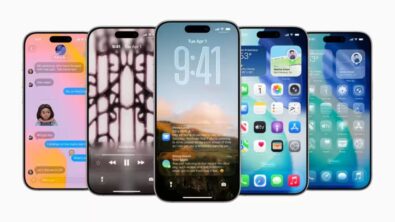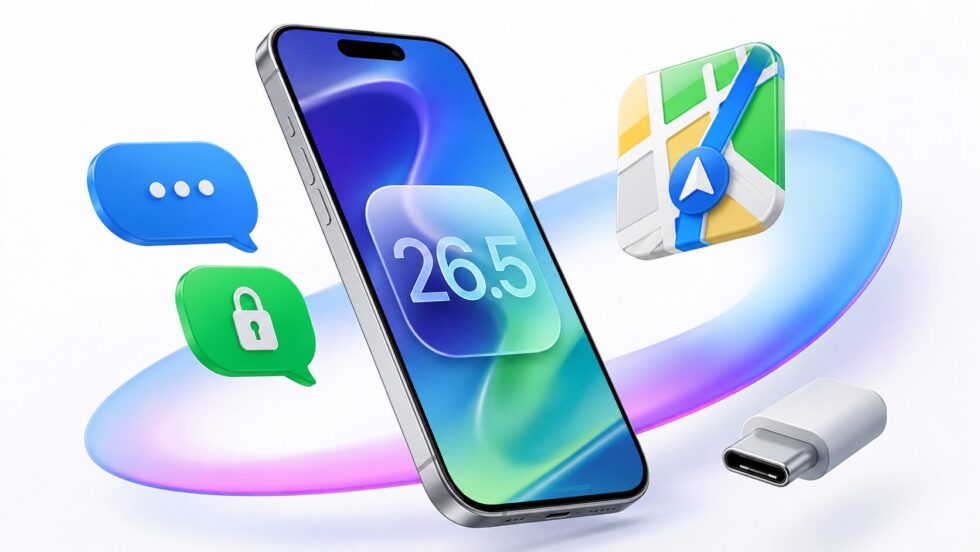
Apple has officially launched iOS 26.5, introducing a series of security, messaging, connectivity and Apple Maps changes that affect millions of iPhone users globally. The update adds encrypted RCS messaging between iPhone and Android devices, new advertising features inside Apple Maps, improved USB-C accessory pairing and more advanced Android transfer controls, while also including fresh security protections and a new animated Pride wallpaper.
The release arrives after roughly a month of developer beta testing and represents Apple’s latest attempt to expand interoperability between its ecosystem and competing platforms while also strengthening services revenue through advertising integrations, reports The WP Times. Although iOS 26.5 is not considered a dramatic redesign update, analysts say several of its additions could have long-term implications for mobile messaging privacy, location-based advertising and cross-platform device usage. The software is available for iPhone 11 models and newer devices through Apple’s Software Update settings page. Users installing the update are also receiving the latest system security patches, which Apple traditionally recommends applying immediately after release.
How to download iOS 26.5 and which iPhones support the update
Apple is distributing iOS 26.5 globally through its standard over-the-air update system. Users can install the software by opening Settings, selecting General, and then tapping Software Update. The update is rolling out gradually depending on region and carrier approval, although most compatible devices should already see availability notifications.
The company confirmed that iPhone 11 and newer models are eligible for the update. Older devices remain on previous software support tracks and will not receive the new iOS 26.5 feature package. Industry observers note that Apple continues to maintain one of the longest smartphone software support cycles in the mobile market, with devices often receiving updates for five years or more.
Security specialists regularly advise users to install iOS updates quickly because they frequently include fixes for vulnerabilities affecting messaging systems, wireless connectivity and browser engines. Although Apple has not publicly detailed every security patch included in iOS 26.5, the release follows a broader industry trend toward accelerated patch deployment amid increasing cyber threats targeting smartphones.
The installation process itself is straightforward, but users should still ensure they have sufficient battery life, a stable Wi-Fi connection and enough available storage before beginning the update.
Steps to install iOS 26.5
| Step | Action |
|---|---|
| 1 | Open Settings |
| 2 | Tap General |
| 3 | Select Software Update |
| 4 | Download iOS 26.5 |
| 5 | Enter passcode if requested |
| 6 | Restart iPhone after installation |
Compatible iPhone models
- iPhone 11
- iPhone 11 Pro
- iPhone 11 Pro Max
- iPhone SE (newer generations)
- iPhone 12 series
- iPhone 13 series
- iPhone 14 series
- iPhone 15 series
- iPhone 16 series
- iPhone 17 series
iOS 26.5 encrypted RCS messaging changes how iPhone and Android users communicate
One of the most significant additions inside iOS 26.5 is the arrival of encrypted RCS messaging. RCS, or Rich Communication Services, is the modern communication standard intended to replace older SMS and MMS messaging systems. It allows users to exchange higher quality photos and videos, typing indicators, read receipts and richer messaging experiences across platforms.
Before this update, conversations between iPhone and Android users using RCS lacked end-to-end encryption protections on Apple devices. That meant messages theoretically faced higher risks of interception by third parties during transmission. With iOS 26.5, Apple now introduces encrypted RCS conversations, marking an important shift in its cross-platform messaging strategy.
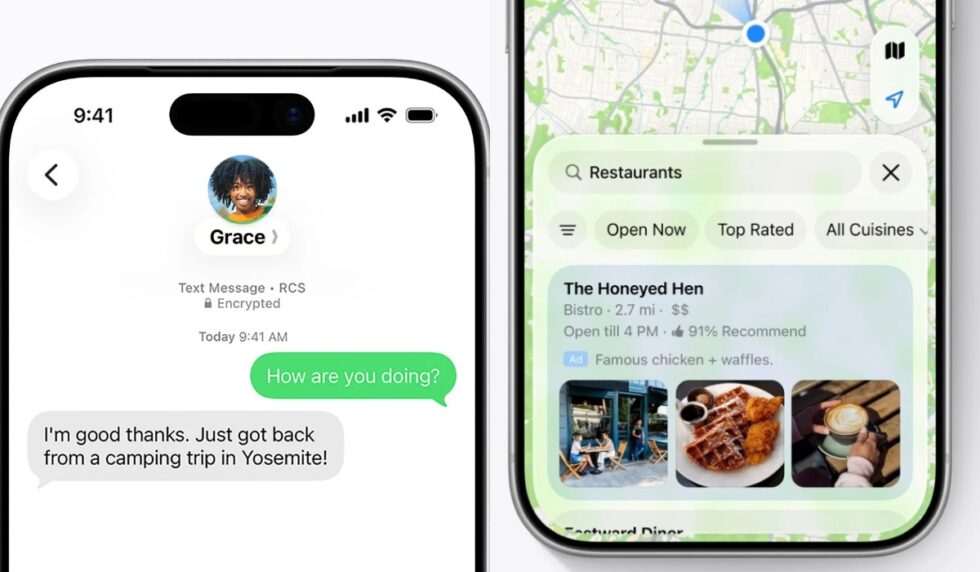
After updating, users will notice a small lock symbol appearing in supported RCS chats. This indicates that encryption is active. However, Apple still labels the feature as a beta capability, and support may vary depending on carrier infrastructure and Android device compatibility.
The update does not change the well-known green message bubbles associated with Android conversations on iPhones. While social debate around “green bubbles versus blue bubbles” continues in technology culture, Apple’s focus here appears primarily centred on security and standards compliance rather than interface redesign.
Cybersecurity experts say the move reflects broader regulatory and consumer pressure on large technology companies to improve interoperability and privacy protections between competing ecosystems. Messaging encryption has become increasingly important as governments and privacy advocates scrutinise mobile communications security worldwide.
What encrypted RCS now supports
| Feature | Available in iOS 26.5 |
|---|---|
| High-quality media sharing | Yes |
| Read receipts | Yes |
| Typing indicators | Yes |
| End-to-end encryption | Yes (beta) |
| Group messaging improvements | Yes |
| Carrier dependency | Yes |
Why the update matters
- Better privacy between iPhone and Android users
- Reduced interception risks
- Improved cross-platform communication quality
- More modern messaging standards
- Stronger competitive positioning against third-party apps like WhatsApp and Signal
Apple Maps ads arrive in iOS 26.5 as Apple expands its advertising business
More than thirteen years after Apple launched Apple Maps, the company is now formally integrating advertisements into the platform. iOS 26.5 introduces the groundwork for location-based advertising inside Apple Maps, including promoted business listings and a new feature called Suggested Places.
Businesses will be able to pay for visibility within Maps search results, similar to sponsored listings already seen in the App Store or Google Maps ecosystem. According to Apple’s advertising materials, users may begin seeing promoted local businesses based on their geographic location and search activity.
The new Suggested Places system combines paid placements with algorithmic recommendations. Apple says users may receive suggestions for restaurants, cafés, tourist attractions, retail stores and trending destinations based on previous searches and nearby activity patterns.
The advertising expansion represents another step in Apple’s growing services business strategy. While Apple historically focused heavily on hardware revenue, investors have increasingly watched the company’s advertising and subscription operations as important long-term growth areas.
Critics, however, argue that integrating advertisements into navigation systems may raise concerns about neutrality and recommendation transparency. Some digital policy analysts say users could struggle to distinguish between organic recommendations and sponsored placements if labelling is insufficiently clear.
“Advertising inside navigation systems changes how users discover cities and local businesses,” - said independent mobile analyst Ben Wood in earlier commentary about location-based ad ecosystems.
“The challenge for Apple will be balancing monetisation with trust.”
New Apple Maps advertising features
| Feature | Description |
|---|---|
| Sponsored locations | Paid business placements |
| Suggested Places | Nearby recommendations |
| Organic recommendations | Non-paid suggestions |
| Localised advertising | Ads based on user location |
| Search-based recommendations | Suggestions linked to previous searches |
Businesses likely to benefit
- Restaurants
- Hotels
- Tourist attractions
- Retail chains
- Coffee shops
- Event venues
- Service providers
USB-C accessory pairing makes iPhone peripherals easier to connect
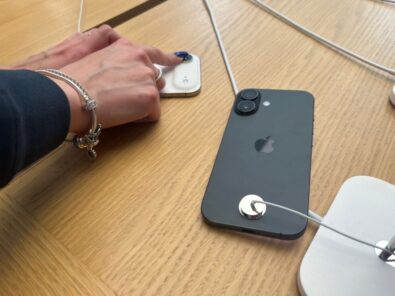
Another practical addition inside iOS 26.5 involves simplified USB-C pairing for Apple accessories. Users can now connect compatible devices such as a Magic Mouse or Magic Keyboard directly to an iPhone using USB-C for near-instant pairing.
After the first wired connection, the accessories automatically reconnect through Bluetooth without requiring repeated setup processes. The feature particularly benefits users who rely on iPhones for productivity workflows, mobile editing or travel-based work environments.
Technology analysts note that Apple’s gradual transition toward USB-C standardisation across devices continues reshaping accessory compatibility throughout its ecosystem. Following regulatory pressure in Europe and broader industry adoption of USB-C, Apple has increasingly integrated the port into newer iPhone models and accessories.
The simplified pairing system may also support Apple’s wider push toward positioning iPhones as more capable productivity devices. Combined with external display support, advanced keyboards and AI-driven workflows, accessory integration has become increasingly important for mobile professionals.
While the feature appears relatively small compared with larger operating system updates, usability improvements often generate substantial day-to-day value for consumers. Removing friction from Bluetooth setup processes addresses a common complaint among accessory users.
Accessories supported with simplified pairing
- Magic Mouse
- Magic Keyboard
- USB-C compatible keyboards
- Certain Bluetooth accessories
- Some third-party peripherals
Benefits of the new pairing system
| Advantage | User Impact |
|---|---|
| Faster setup | Reduced configuration time |
| Automatic Bluetooth pairing | Easier reconnection |
| Improved productivity | Better mobile workflows |
| Reduced technical friction | Simpler user experience |
iPhone to Android transfer controls become more flexible in iOS 26.5
Apple has also introduced new transfer management controls for users moving from iPhone to Android devices. Although Apple traditionally focuses on retaining users within its ecosystem, regulators and consumer expectations increasingly require easier migration processes between competing platforms.
With iOS 26.5, users can now select which message attachments they want transferred when moving data from an iPhone to Android. Previously, migration tools often transferred large quantities of media automatically, sometimes increasing storage demands and slowing the process.
The new selective transfer option gives users greater control over photos, videos and other attachments during migration. Analysts say the feature may appear minor but addresses a practical issue affecting users with years of stored conversations and media files.
The change also reflects broader competitive realities inside the smartphone market. Consumers increasingly expect platform flexibility rather than strict ecosystem lock-in. Technology companies are under pressure from regulators in Europe and elsewhere to improve portability and interoperability.
Apple has not publicly framed the feature as a regulatory response. However, digital market legislation in multiple jurisdictions continues pushing major technology firms toward more open systems and easier data migration tools.
New Android transfer controls
| Feature | Available |
|---|---|
| Selective message attachments | Yes |
| Media transfer management | Yes |
| Improved migration controls | Yes |
| Cross-platform transfer support | Yes |
Why users may welcome the update
- Faster migration process
- Reduced storage usage
- Better media control
- Easier switching experience
- Improved transfer efficiency
Pride Luminance wallpaper becomes Apple’s first animated Pride Month wallpaper
iOS 26.5 also introduces a new Pride Luminance wallpaper for iPhone users. Apple has released Pride-themed wallpapers and watch faces for several years, but this marks the company’s first animated and customisable Pride wallpaper experience.
Unlike previous static backgrounds, the new wallpaper features motion effects and colour customisation tools. Users can personalise the wallpaper using twelve available colours, allowing different combinations and visual variations across devices.
The wallpaper launch coincides with updates to watchOS 26.5, which includes a matching Pride Luminance watch face for Apple Watch devices. Apple traditionally releases Pride-themed designs ahead of Pride Month as part of its broader public diversity and inclusion branding strategy.
Visual customisation remains an increasingly important component of smartphone ecosystems, particularly among younger users who treat devices as extensions of personal identity and style. Animated wallpapers, interactive widgets and dynamic lock screens have become central features in modern mobile operating systems.
The update does not fundamentally alter iPhone functionality, but it reflects Apple’s continuing emphasis on design, aesthetics and ecosystem cohesion between devices.
Pride Luminance wallpaper features
- Animated motion effects
- 12 customisable colours
- Matching Apple Watch face
- Dynamic visual transitions
- Integrated watchOS compatibility
Why iOS 26.5 matters beyond small feature upgrades
At first glance, iOS 26.5 may appear to be a relatively incremental software update. There is no major redesign comparable to landmark iOS releases from previous years. However, analysts argue the update is strategically important because it touches several critical technology industry trends simultaneously: privacy, advertising, interoperability and ecosystem flexibility.
Encrypted RCS messaging signals Apple’s growing willingness to participate more fully in cross-platform communication standards. Apple Maps advertising demonstrates the company’s accelerating monetisation ambitions inside services and location data. USB-C pairing and Android transfer controls further indicate a more interoperable future shaped partly by regulation and consumer demand.
At the same time, the release continues Apple’s long-standing strategy of incremental ecosystem refinement rather than dramatic disruption. Many of the most impactful user experience changes inside modern operating systems now emerge through smaller utility improvements rather than headline-grabbing redesigns.
Developers and mobile industry observers are also closely watching iOS 26.5 as a precursor to larger announcements expected later in 2026. Apple’s Worldwide Developers Conference remains a key focus for investors and software creators anticipating broader AI integrations, operating system redesigns and ecosystem updates.
Most important iOS 26.5 additions at a glance
| Feature | Importance |
|---|---|
| Encrypted RCS messaging | High |
| Apple Maps advertising | High |
| USB-C pairing | Medium |
| Android transfer controls | Medium |
| Pride Luminance wallpaper | Low/Medium |
| Security patches | Critical |
What Apple users should expect next after iOS 26.5
Apple is expected to continue refining RCS support and encrypted messaging capabilities throughout future software updates. Carrier compatibility remains one of the largest variables affecting feature availability, particularly in international markets where RCS adoption differs significantly.
Advertising inside Apple Maps may also expand rapidly if businesses respond positively to the new placement system. Apple’s services revenue division has become increasingly important to investors, and location-based advertising represents a potentially lucrative area of growth.
Meanwhile, the broader industry shift toward USB-C standardisation is likely to continue influencing accessory ecosystems across smartphones, tablets and laptops. Consumers increasingly expect seamless compatibility between devices regardless of platform.
For everyday users, iOS 26.5 ultimately represents a practical update focused on security, messaging quality and usability rather than dramatic visual transformation. Yet several of its additions — particularly encrypted RCS messaging and Apple Maps advertising — may have much broader long-term implications for how mobile ecosystems evolve over the next several years.
As Apple continues balancing privacy positioning with advertising expansion and ecosystem openness, iOS 26.5 provides one of the clearest snapshots yet of where the iPhone platform is heading next.
Read about the life of Westminster and Pimlico district, London and the world. 24/7 news with fresh and useful updates on culture, business, technology and city life: Apple iPhone 18 Pro Max: what is revealed about colours, design and camera upgrades ahead of 2026 launch